Menu Bar Clutter 2020

A quick catch up after the 2010 and 2012 editions.

Skitch Capture material for sharing.

Quick Draft Simple text editor for notes. Syncs with iOS devices.

Dropbox Online storage, file sharing etc.

Backblaze Online backup service.

MyAddress IP address monitor syncs across iCloud for when you are away.

BlockBlock Keeps an eye on what is being installed and notifies you about anything suspicious.

Presentify Highlighter for presentations etc.

Hazel Automates routine tasks.

Typinator Type in a short sequence and it gives you the long form version.

1Password Excellent password manager.

PopClip The single most useful thing to add to a Mac.

Amphetamine Keeps your Mac awake. Very configurable – set a time or wait for a job to finish etc. before going to sleep.

BwanaDik Monitors your connection notifying you when down. No longer supported but included here for continuity with older posts.

WiFi

LittleIpsum Adds Lorem ipsum text in words, lines or paragraphs. No longer supported.

Cookie Removes specified cookies, trackers and the like either at set intervals or when you quit the browser etc.

Memory Cleaner

Bluetooth

AirPlay

Sound

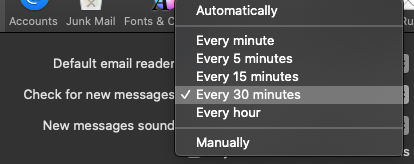
Bartender Declutter the menu bar. Hides all the icons you do not need to click on regularly.

FuzzyTime Tells you the time in a normal (not to the precise second) way
in a variety of languages. I have had to add the day to the display otherwise I would not have much idea what day it was lately.

ClipMenu Having tried numerous clipboard managers I have found nothing as useful as this although it has not been updated in years and never made it to version 1.

Spotlight Search for anything on your Mac.

User

Notifications See/ignore information.

Yadit #100DaysToOffload

Which WordPress Plugins I Use

I was interested to read Kev Quirk’s plugins article as I had found his introduction to the IndieWeb thing very helpful.

I currently have 18 active plugins – which is probably far too many. So this is as much an exercise for me to consider which can be deactivated as it is information for anyone else; but in the tangled mess that this blog has become over the years it is hard to say which are still actually needed.

Akismet Anti-Spam which did a great job of filtering out spam comments. But as I now have a JetPack account I probably do not need this plug in. And as I have turned off the ability to comment I probably do not need this plugin.

Background Update Tester Checked the site to ensure it was set up correctly for automated updates. I can probably deactivate this one too as it has not been updated in five years and is probably no longer required.

Classic Editor Restores the classic WordPress editor replacing the new blocky Gutenberg editor when required for IndieWeb stuff.

Hotfix Provided quick fixes for individual WordPress bugs between updates. Can probably be deactivated as I do do the updates regularly as required.

IndieWeb Adds IndieWeb functionality – whatever that is :-/

Insert Headers and Footers Not sure what I was using this one for as I do not do the Google Analytics or Facebook linkage things. Possibly deactivate.

Jetpack adds a lot of goodness to the site – security, backups, image optimisation etc.

Microformats 2 More IndieWeb stuff. Not sure it is required as I have switched to an IndieWeb friendly theme anyway.

Page Links To Provides simple links out of the WordPress site. Could probably deactivate this as I am moving link outs to the sidebar widgets.

PHP code widget Allows you to add PHP code to the site – not sure what I was doing with this.

Post Kinds More IndieWeb stuff doing something or other.

Preserve Code Formatting Displays code as text so it does not get used as code by the site.

Simple Lightbox Presents pictures in a neat way. I need to configure this to do more.

Tumult Hype Animations Player for animations created in Tumult’s Hype editor. I should try and use this more.

VaultPress Backup system which is now part of JetPack so this one can probably go too.

WP Super Cache Helps to speed up the presentation of site.

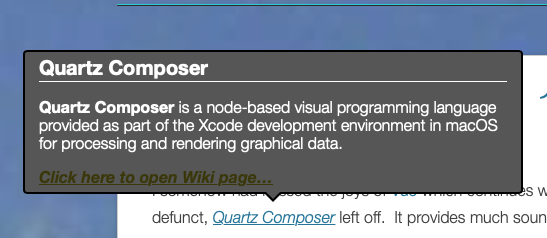
Wiki Tooltip Makes the little window that pops up when you move over a link to Wikipedia (or whatever you have set it to respond to).


WP-DBManager Helps to keep the tangled sprawling mess that is this blog’s database in some kind of order.

So apparently most of my plugins can go and I should just stick with the half dozen or so that are actually required/doing something.

Tomorrow: What is all that crap in the menu bar? As we have not had one of those for a while.

Yadit #100DaysToOffload

Retirement project No. 173

I somehow had missed the joys of Vuo which continues where Apple’s, now defunct, Quartz Composer left off.  It provides much sound and video mangling possibilities.  For example you can grab a website and spin it into a kaleidoscopic frenzy.


[videopress VtDW2sHh]


So that’s something else I will have to try and learn.  If only I had the time.  Oh! wait… 🙂


Yet another day in the #100DaysToOffload

Retirement home

What is a chap to do whilst locked down on a rainy day and just a couple of days from retirement?  Build a retirement home!

I have never actually played Minecraft.  They do say you can tell if you are in an introvert’s home as it will not have any pictures of other people anywhere.  Similarly my Minecraft worlds are populated by just me and my menagerie.  My usual method for building a house is to find a suitable hill and start excavating it.  You eventually end up with more house than hill but the house can become a somewhat impractical, cavernous labyrinth.

[videopress kgetTdEc w=”600″ at=”3″ permalink=”false” hd=”true”]


Day something from #100DaysToOffload

Freebies and the decline of civilisation.

It is a full time job trying to keep up with all of the stuff being made freely available, or at a goodly discount, to help people through their locked-down existence. For example Sound On Sound are maintaining a list of software deals available on noisy stuff. One such deal was from Heavyocity who produced a #StayHome instrument for Kontakt.

https://youtu.be/4gdTUZFL96Y


They asked for a $10 donation for UNICEF et al or it was available for free. Who can resist things that so delightfully bleep and bonk?

So I fill in their form to make an account – because how can you possibly buy anything without setting up an account and providing all your personal details these days? I am then sent off to PayPal to make the purchase/donation. I log in to my PayPal account but my money is rejected and I am sent back to Heavyocity with red text on my details. Red text is never a good thing. Apparently the email address I use for my PayPal account does not match the email address I used for my Heavyocity account. Who knew that was a thing? I can think of five domains I own and can use for email (there are probably more) and for most of them I will use a multitude of addresses as befits my needs. So I am a little peeved that Heavyocity has taken it upon themselves to specify which email address I should use.

Not to worry I shall just use my bank debit card. I am sent back to PayPal where I am now a guest. Before I can make my purchase/donation PayPal demands that I provide my phone number. I have had a PayPal account for many years and have never given them my phone number – which suggests that they do not really need it and so I never will. So declining to give them my phone number I return to the Heavyocity site to see if we can resolve this problem. Alas there Get In Touch and Contact Us links just take you to their Zendesk support pages with no obvious way to actually get in touch and contact them. As I do not do the whole TweetyBook thing that was not an option either.

So I just gave up and downloaded it for free.  It is very good.


But don’t get me started on PayPal:

A promo code you say?  Let me just type that in…..