Reinstalling Lion

On Saturday the [wikipop]MacBook[/wikipop] was getting a bit clunky and on investigation the hard disc was found to be damaged and needed wiping/formatting. Just what those girls do to the poor thing, having previously destroyed the old [wikipop search=”iBook G4″]iBook[/wikipop]’s disc, remains a mystery.

After backing up to the [wikipop search=”Time Machine (Mac OS)”]Time Machine[/wikipop], downloading the Lion Recovery Disk Assistant and installing that on an old USB hard disc we were ready to boot from the external disc and wipe the internal disc. The wiping did not affect the recovery partition that [wikipop search=”Mac OS X Lion”]Lion[/wikipop] creates and so that was used for the reinstallation.

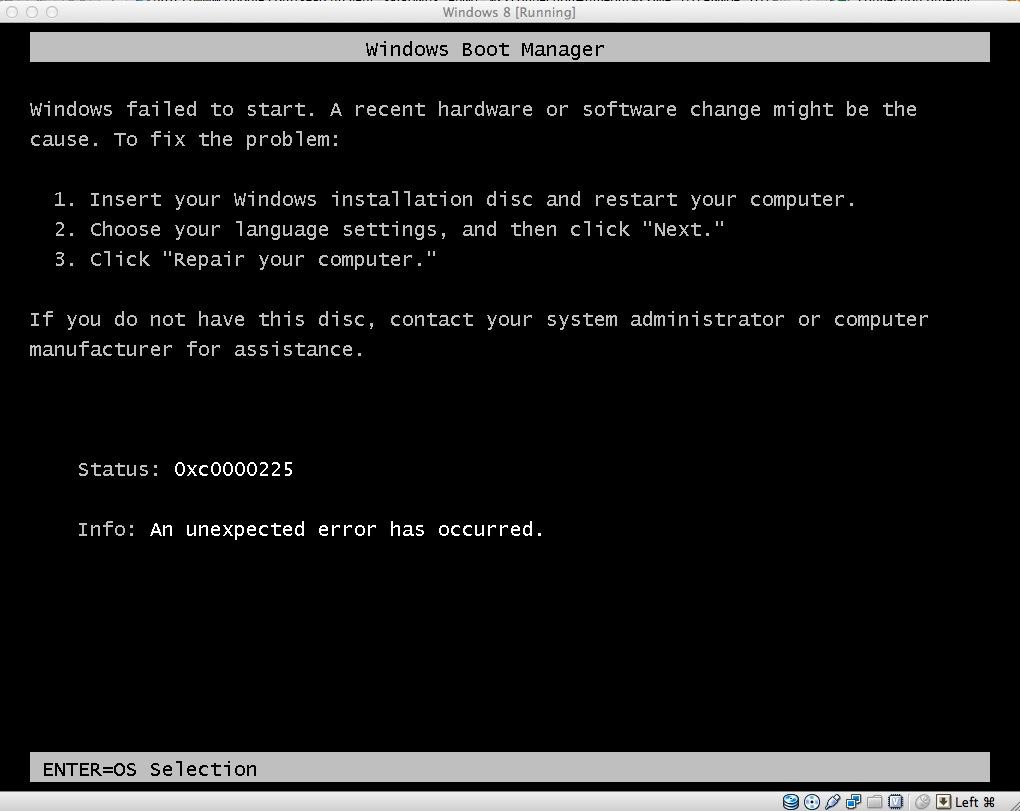
The process seemed to go without a hitch until the point when the computer should have restarted which it failed to do:

It repeatedly downloaded the installer but then hung showing either 5+ Hours remaining or Around 0 seconds to go. The download was restarted half a dozen times each with the same inconclusive result. Fortunately [wikipop]Tim Minchin[/wikipop] was hosting the Comedy Prom on TV and his Lullaby helped to relieve the frustrations:

Having shut down the MacBook for the night I tried it one more time on Sunday morning. It seemed to stall yet again but while I perused the support forums for any advice there was a reassuring [wikipop]startup chime[/wikipop] and it leapt into life and started the installation process. Once installed Martine sat in bed retrieving the backed up stuff which, to her alarm, reinstalled thousands of old emails.

But in the end, albeit with a little frustration, the whole disc-less wire-less installation did not fail us.

Cimy Header Image Rotator and the Twenty Eleven theme

Here we are with the all new WordPress 3.2 and the Twenty Eleven theme. One difference being that the header images should now be 1000 X 288 pixels. Apart from that you can still insert your Cimy Header Image Rotator plug-in code into the header.php file as detailed for the Twenty Ten theme (with the proviso regarding child themes of course).


// Houston, we have a new header image!

echo get_the_post_thumbnail( $post->ID, 'post-thumbnail' );
else : ?>


Insert your code here


But it is probably time for a change so I am no longer using the Cimy Header Image Rotator plug-in…hence the lack of image rotation 😉

Update: The Header Image Slider plugin is now being tested.

Wireless MIDI controlling GarageBand

NOTE: This post is from 2011 An updated 2023 version is available here.

MIDI controllers control MIDI devices. They do not make sound no matter how high the volume is set.

One of the main requirements for having an app distributed through the App Store is that the app should work as described. So one star reviews claiming “it does not work” should be ignored.

If you have a Mac you have everything you need:

  1. Launch your MIDI app (in this case Pad MIDI on an iPod Touch)
  2. Launch the Audio MIDI Setup utility (found in the Utilities folder within the Applications folder)
  3. If you are seeing the Audio window select Show MIDI Window from the Window menu
  4. Double click the Network button to show the MIDI Network Setup Window
  5. Join a Session by connecting your device
  6. Launch GarageBand which will find all MIDI connections
  7. Play the app to play Garageband


Final Cut iDiots

Amongst the barrage of idiotic comments about the new version of Final Cut are asides such as in an App Store review:

It does have a export to facebook button, need I say more. (sic)

The old version provided sharing options with the likes of YouTube and MobileMe so you could publish your work straight to your account.

That such options have been expanded to include Vimeo and Facebook accounts is apparently a bad thing. Or is it just professional snobbery? Why buy software that is not suited to your needs? You still have the old version if needed.

Least we forget… ten years ago

The program also seems downright counter-intuitive in some areas: the new Media Manager is found under the Sequence menu and not Tools, or even Window. And the preferences don’t reset themselves for the current project. All these inconsistencies should have been resolved before the program was rolled out… Not being OS X-compatible is a serious drawback though, and Final Cut Pro 2.0 still retains an unfinished feel in several areas.

Nine months after the release of Final Cut Pro 2 Final Cut Pro 3 arrived.